
The Product Classification Dashboard provides an overview of all your previously generated classifications.
At a snapshot, you can see your Device Name, Market, Classification, and Rationale Report Status.

There are 4 potential Rationale Report Status options.
1. View Product Classification Summary
View the responses to your classification questionnaire
2. Purchase a Classification Rationale Report
For select markets, you can also purchase a Classification Rationale Report that confirms the applicability of each rule and that can be used in your technical file. To start, you must first purchase a credit to generate the report. This link will take you to the purchase screens.
3. Start a Classification Rationale Report
Once you have an available credit to start a Classification Rationale Report, this option will be available on any classification where the report is available.
4. Download completed Classification Rationale Report
Once a report has been generated, you can download your report anytime, as many times as you like, from the Product Classification dashboard.
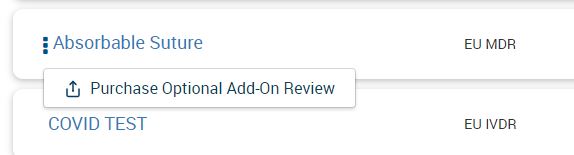
Additionally, from the 3-dot menu you can request to purchase a review of your Classification report by an Emergo by UL expert consultant. The report will be customized for your device and situation.