
Country Reports
To View Country Reports:
Click on Registration Tracker
Reports> then click on the “by Country” tab.
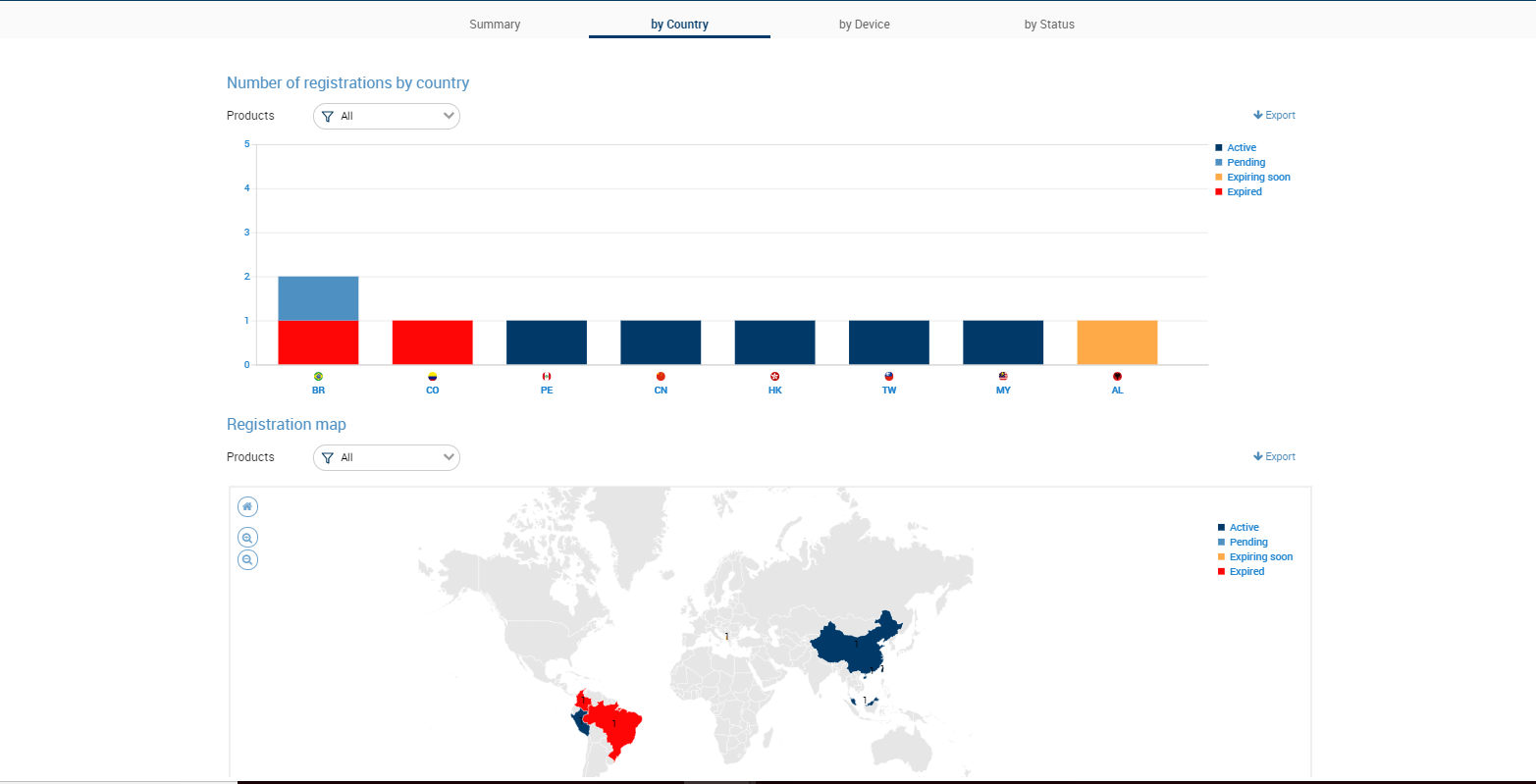
The Country reports page features two reports:
The Country bar graph, which indicates the number of registrations or certificates you have in each country. Each bar features subsections that are color-coded to indicate the status of the registrations or certificates in that particular country.
The Country map, which visualizes which countries contain registrations for your products. The countries are color-coded based on the highest priority registration in that country. For example, if a country contains an expired registration, its color coding will be red. If the country contains a registration that will be expiring soon, its color will be orange.
You can set which products are included in the country reports by clicking the "Product" drop-down and selecting or de-selecting the products you want included in or excluded from the report, respectively.
Figure: Report by Country