
Add/Edit Attachments
Note: To add attachments to records or certificate records, you must have an Account Owner or Editor.
The Attachments will not be uploaded to the archived Records.
To Add attachments to the Records:
1. Click on Registration Tracker> Records, click on the record you wish to edit.
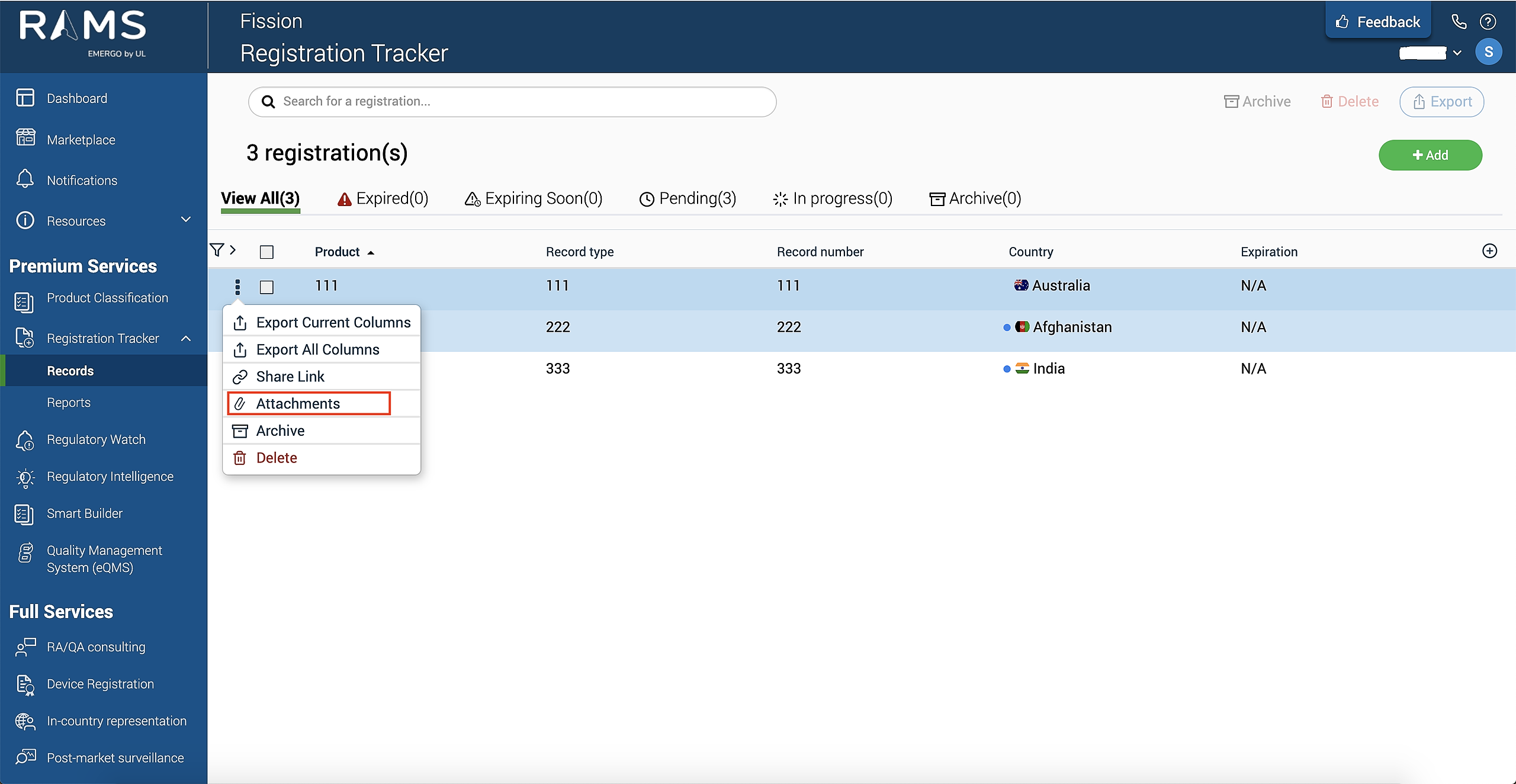
2. Click the three dots left of the record you want to add attachments.
3. Select "Attachments".
Note: Users can (bulk) upload/attachment of maximum of 10 files to a maximum of 20 records at a time.
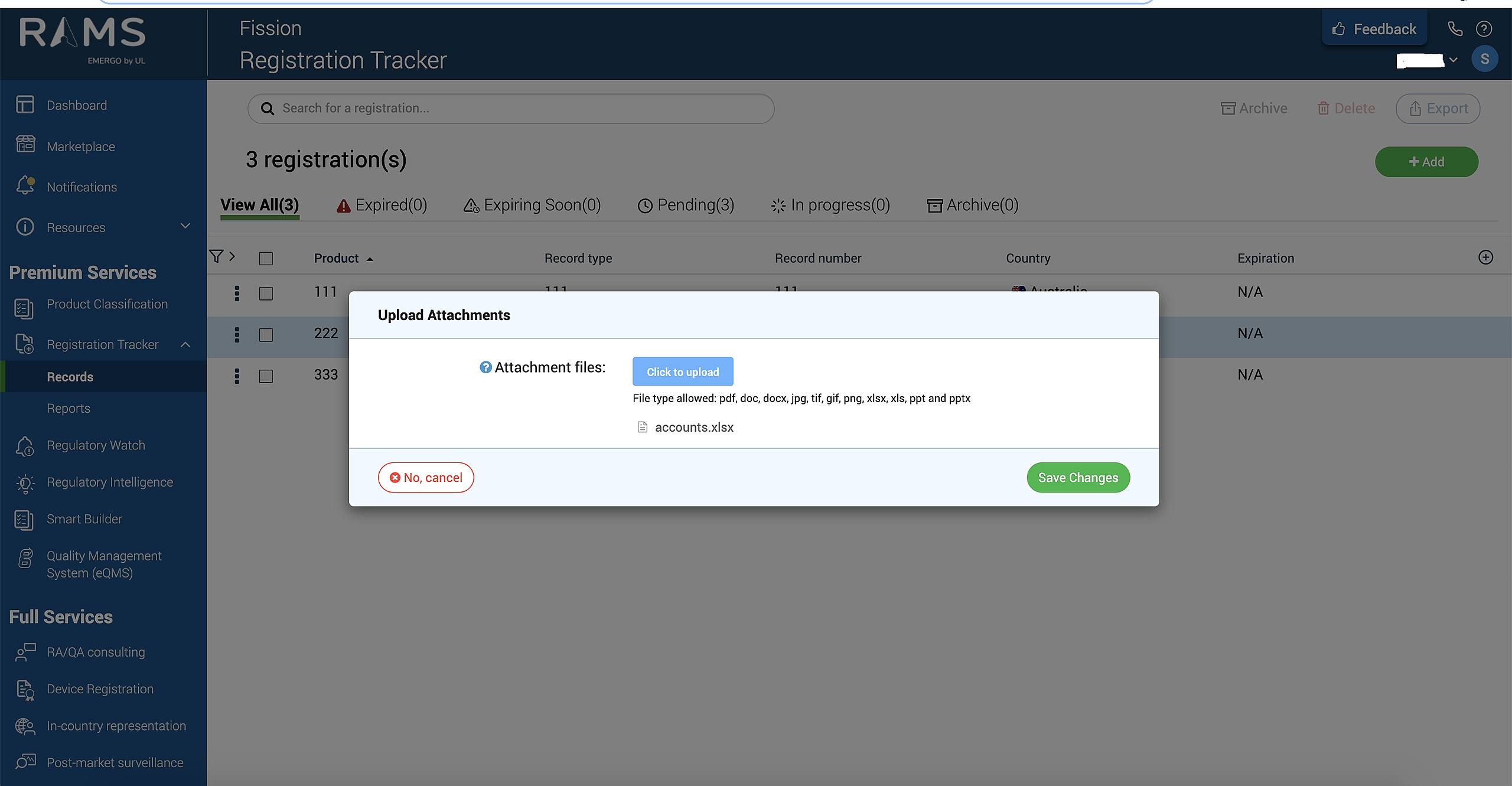
4. Click on “click to Upload” button to add the list of attachments and click on “save changes” to save your changes.