
Download Attachments
Note: RAMS provides two ways to download attachments:
Download Attachment (A):
To download attachment of the registration or certificate.
Go to the Registration Tracker > Records.
Click the three dots left of the record you want to add attachments.
Select "Attachments".
Click on the download icon of the attachment to download it..
Download Attachment (B):
To download attachment of the registration or certificate.
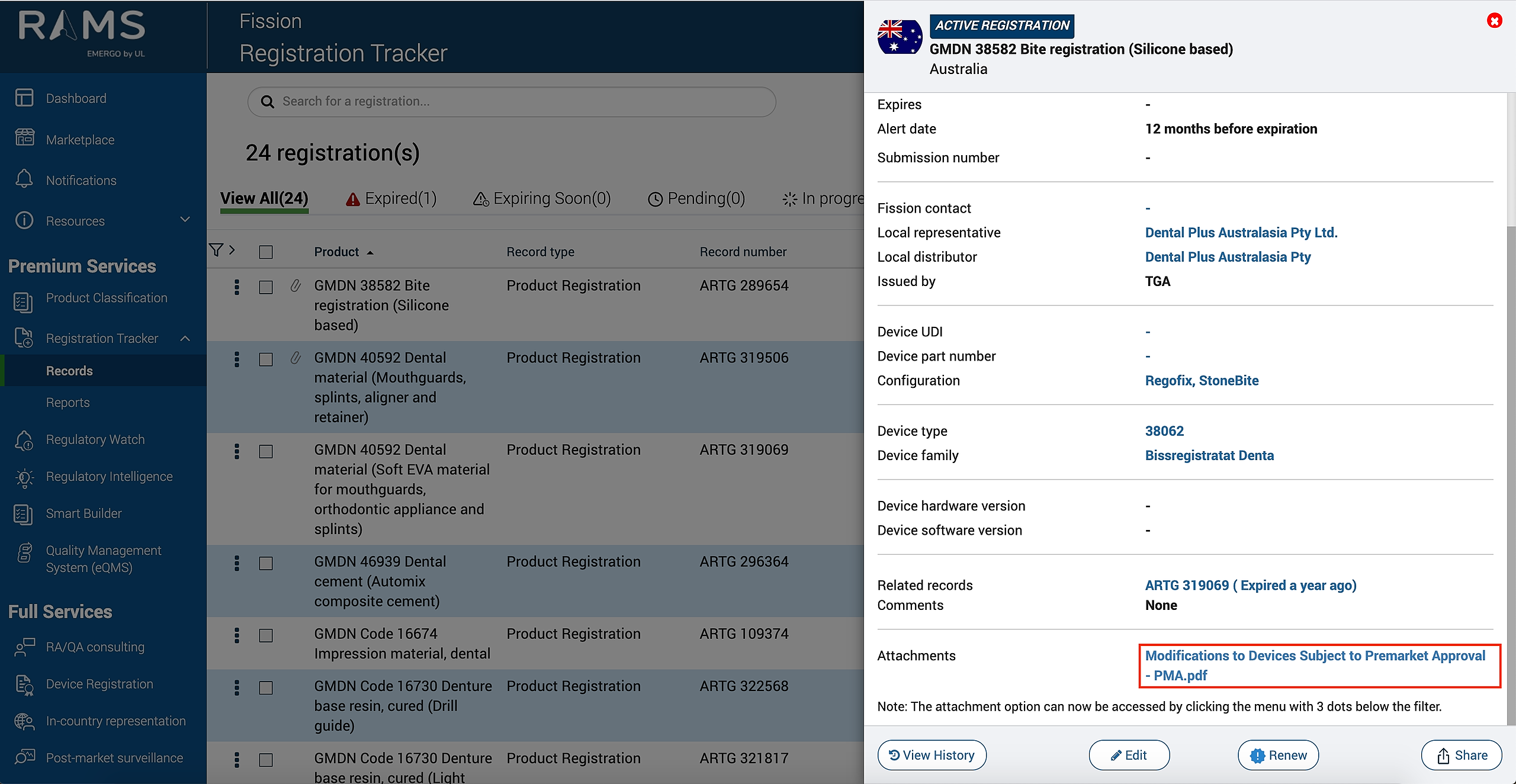
Click on Registration Tracker > Records, click on the record you wish to download attachment.
Scroll down to Attachments.
Click on the attachment you wish to download from the list of attachments.
Figure: Download Attachment (A):
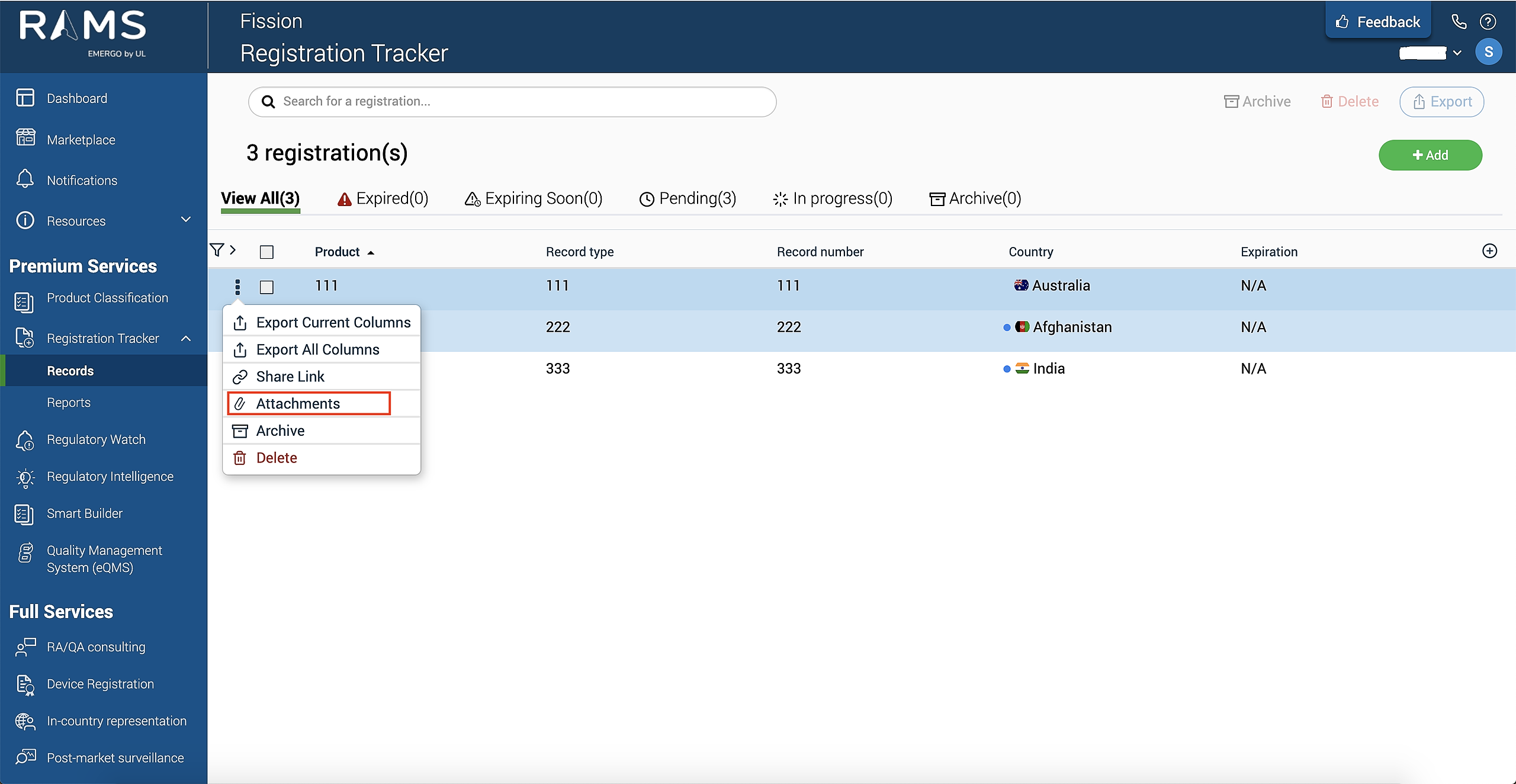
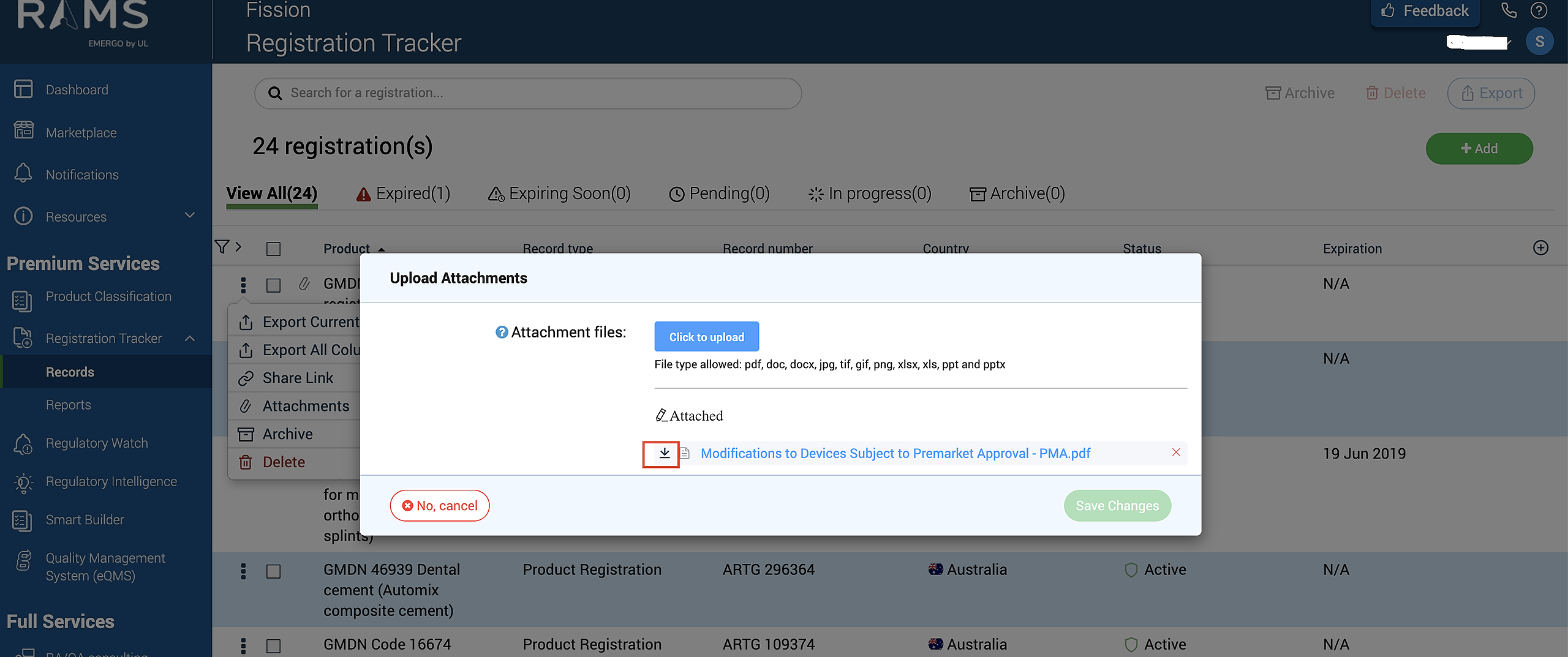
Figure: Download Attachment (B):